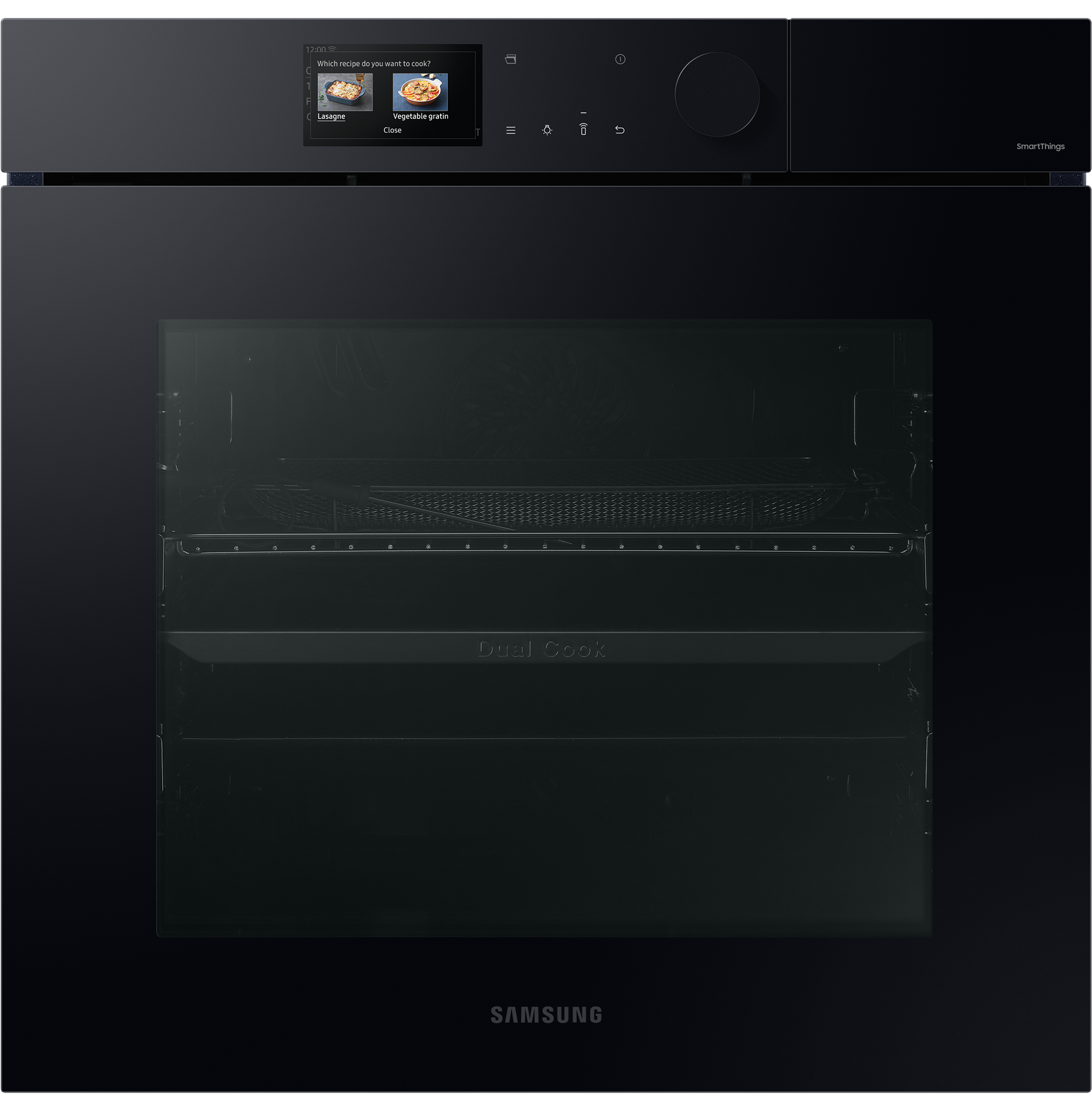
Series 7 Dual Cook NV7B7997AAK Smart Oven with Pyrolytic Cleaning, Auto Open Door & AI Pro Camera - Clean Black
Buy from Samsung
€2,449
+€30 P&P
Overview
Cook more intelligently. Highlights. AI Pro Cooking. Make cooking easy, fun and shareable and enjoy professional results using AI Pro Cooking's artificial intelligence (AI).Auto Open Door. Give your home a stylishly simple and seamless appearance that reflects the current trend for clutter-free and clean styling. Dual Cook Steam‚Ñ¢Enjoy oven cooking and steaming dishes at the same time, or add steam when you are cooking to keep food deliciously moist. More fun, less hassle. AI Pro Cooking*. Make cooking easy, fun and shareable and enjoy professional results using AI Pro Cooking*'s artificial intelligence (AI). You can remotely view inside and control the oven, and create a time-lapse video as dishes cook. By recognising*** ingredients it recommends recipes and optimises settings.* Only available on certain models.** Available on Android and i. OS devices. A Wi-Fi connection and a Samsung account are required.*** A dish should be placed in the center of the oven to achieve the best recognition. The accuracy of the recognition may vary depending on the actual usage conditions, such as the type of ingredients, cleanliness of the cavity and the brightness of the room light. For more detailed information, please refer to the user guide enclosed with the package.‚àó This scene is staged and for illustrative purposes only. The images shown may differ from those captured by the actual camera. Look without opening. AI Pro Cooking - View Inside. Monitor your cooking and control the oven using the Smart. Things App* on a smartphone. A View Inside internal camera** lets you check on your cooking without frequently opening the door or when you are not home. You can also turn the oven on/off, select functions, set timers and change settings.* Available on Android and i. OS devices. A Wi-Fi connection and a Samsung account are required.** The camera is only operating when the light is on.‚àó This scene is staged and for illustrative purposes only. The images shown may differ from those captured by the actual camera. View film highlights. AI Pro Cooking - Film Inside. Capture your cooking skills on video and have fun sharing it with friends using social media! The Film Inside function uses an internal camera* to monitor each dish and create a short video clip** of all the highlights. It automatically adjusts the film speed to capture the key changes.* Available on Android and i. OS devices. A Wi-Fi connection and a Samsung account are required.** Created using only video recorded when the door is closed. After the cooking process ends, it takes about 20 seconds to encode the video in the MPEG file format.‚àó This scene is staged and for illustrative purposes only. The images shown may differ from those captured by the actual camera. Optimised cooking. AI Pro Cooking - Sense Inside*. Save time choosing recipes and serve delicious meals. Using an internal camera**, Sense Inside* recognises ingredients and then recommends recipes and optimises settings***. It also monitors how well done food is, so it guides you to cook it properly and alerts you if burning is detected****.* Only available when using the Auto Cook menu. The type and quantity of some ingredients may not be recognized.** Available on Android and i. OS devices. A Wi-Fi connection and a Samsung account are required.*** Based on an AI-created algorithm and not real-time learning. After the ingredients have been identified and the recipe selected, if pre-heating is required, the ingredients need to be removed from the oven during pre-heating. If pre-heating is not required, they can be cooked immediately after they have been identified.**** May not work properly when cooking specific food items that are a dark color or have a cover, which can hinder recognition. So you should also monitor the cooking status yourself.‚àó This scene is staged and for illustrative purposes only. The images shown may differ from those captured by the actual camera. Seamlessly stylish. Auto Open Door. Give your home a simple and seamless appearance. This touch opening oven features a handle-less, flat door design, so it perfectly matches your kitchen style. And with one touch of your fingertip on a button on the control panel, you can open the door* gently and effortlessly.* The door will not open when the button is touched if either Pyrolytic Cleaning or the Child Lock has been activated. Cook & steam together Dual Cook Steam‚Ñ¢. Enjoy oven cooking and steaming at the same time, or add steam to keep food moist. Dual Cook Steam‚Ñ¢ lets you prepare healthy steamed dishes, while simultaneously oven cooking various foods with different settings. Or use Add Steam when roasting or baking to ensure food is both crisp and tender. Healthy steam
Specifications
Overview
Cook more intelligently. Highlights. AI Pro Cooking. Make cooking easy, fun and shareable and enjoy professional results using AI Pro Cooking's artificial intelligence (AI).Auto Open Door. Give your home a stylishly simple and seamless appearance that reflects the current trend for clutter-free and clean styling. Dual Cook Steam‚Ñ¢Enjoy oven cooking and steaming dishes at the same time, or add steam when you are cooking to keep food deliciously moist. More fun, less hassle. AI Pro Cooking*. Make cooking easy, fun and shareable and enjoy professional results using AI Pro Cooking*'s artificial intelligence (AI). You can remotely view inside and control the oven, and create a time-lapse video as dishes cook. By recognising*** ingredients it recommends recipes and optimises settings.* Only available on certain models.** Available on Android and i. OS devices. A Wi-Fi connection and a Samsung account are required.*** A dish should be placed in the center of the oven to achieve the best recognition. The accuracy of the recognition may vary depending on the actual usage conditions, such as the type of ingredients, cleanliness of the cavity and the brightness of the room light. For more detailed information, please refer to the user guide enclosed with the package.‚àó This scene is staged and for illustrative purposes only. The images shown may differ from those captured by the actual camera. Look without opening. AI Pro Cooking - View Inside. Monitor your cooking and control the oven using the Smart. Things App* on a smartphone. A View Inside internal camera** lets you check on your cooking without frequently opening the door or when you are not home. You can also turn the oven on/off, select functions, set timers and change settings.* Available on Android and i. OS devices. A Wi-Fi connection and a Samsung account are required.** The camera is only operating when the light is on.‚àó This scene is staged and for illustrative purposes only. The images shown may differ from those captured by the actual camera. View film highlights. AI Pro Cooking - Film Inside. Capture your cooking skills on video and have fun sharing it with friends using social media! The Film Inside function uses an internal camera* to monitor each dish and create a short video clip** of all the highlights. It automatically adjusts the film speed to capture the key changes.* Available on Android and i. OS devices. A Wi-Fi connection and a Samsung account are required.** Created using only video recorded when the door is closed. After the cooking process ends, it takes about 20 seconds to encode the video in the MPEG file format.‚àó This scene is staged and for illustrative purposes only. The images shown may differ from those captured by the actual camera. Optimised cooking. AI Pro Cooking - Sense Inside*. Save time choosing recipes and serve delicious meals. Using an internal camera**, Sense Inside* recognises ingredients and then recommends recipes and optimises settings***. It also monitors how well done food is, so it guides you to cook it properly and alerts you if burning is detected****.* Only available when using the Auto Cook menu. The type and quantity of some ingredients may not be recognized.** Available on Android and i. OS devices. A Wi-Fi connection and a Samsung account are required.*** Based on an AI-created algorithm and not real-time learning. After the ingredients have been identified and the recipe selected, if pre-heating is required, the ingredients need to be removed from the oven during pre-heating. If pre-heating is not required, they can be cooked immediately after they have been identified.**** May not work properly when cooking specific food items that are a dark color or have a cover, which can hinder recognition. So you should also monitor the cooking status yourself.‚àó This scene is staged and for illustrative purposes only. The images shown may differ from those captured by the actual camera. Seamlessly stylish. Auto Open Door. Give your home a simple and seamless appearance. This touch opening oven features a handle-less, flat door design, so it perfectly matches your kitchen style. And with one touch of your fingertip on a button on the control panel, you can open the door* gently and effortlessly.* The door will not open when the button is touched if either Pyrolytic Cleaning or the Child Lock has been activated. Cook & steam together Dual Cook Steam‚Ñ¢. Enjoy oven cooking and steaming at the same time, or add steam to keep food moist. Dual Cook Steam‚Ñ¢ lets you prepare healthy steamed dishes, while simultaneously oven cooking various foods with different settings. Or use Add Steam when roasting or baking to ensure food is both crisp and tender. Healthy steam