Vestidos Print Head Abs Rust Proof High Reliability Colorfast Printhead Replacement For Ipf500 Ipf510 Ipf600

Vestidos Print Head Abs Rust Proof High Reliability Colorfast Printhead Replacement For Ipf500 Ipf510 Ipf600

Buy from Joom

£47

Go to deal

Overview

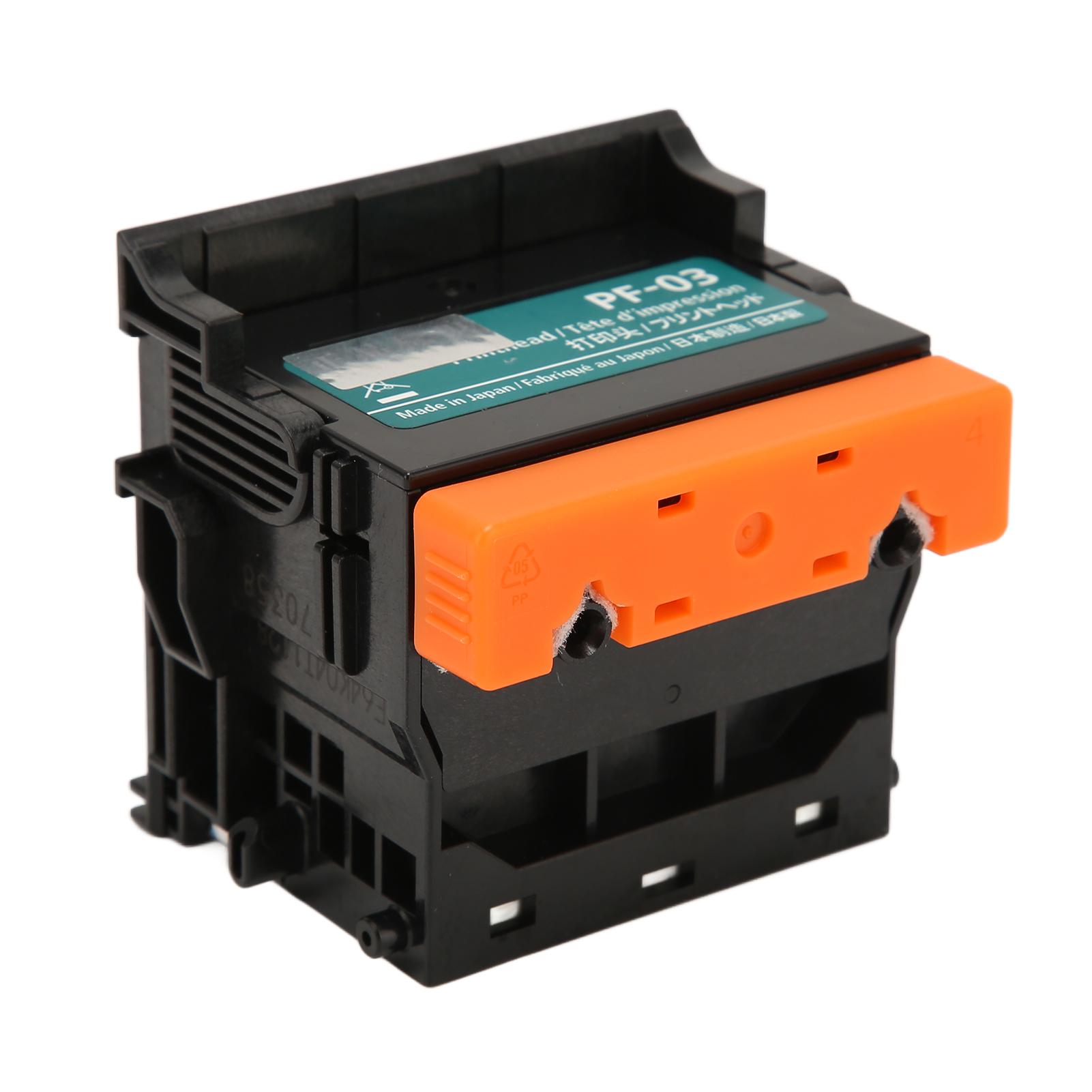
Feature: 1. Applicable: This print head is applicable for iPF500, 510, 600, 605, 610, 700, 710, 720, 810, 815, 820, 825, for iPF5000, 5100, 6000S, for 6 100, 6200, 8000, 8000S, for iPF8010S, 8100, 8110, 9000, 9000S, 9010S, 9100, 9110. 2. Well Tested: The print head is 100 percents functionally tested after production, and 100 percents functionally tested before delivery. 3. Stable Performance: The printer printhead has stable performance and high reliability, and it is suitable for replacing your damaged printhead. 4. Premium ABS: This printer printhead is made of premium ABS material so that it is durable and has long service life. 5. Rust Proof and Colorfast: This printhead replacement is light in weight, rust proof and colorfast which is the excellent choice for your printer. Specification: Item Type: Print Head Material: ABS Gross Weight: 188g/6.6oz Applicable: For iPF500, 510, 600, 605, 610, 700, 710, 720, 810, 815, 820, 825, for iPF5000, 5100, 6000S, for 6 100, 6200, 8000, 8000S, for iPF8010S, 8100, 8110, 9000, 9000S, 9010S, 9100, 9110.. Package List: 1 x Print Head Note: 1. The product is a brand new product, there may be some protective liquid, it is to protect the accessories, it is normal2. Solution for incompatibility: Reset the printer Follow the steps below to reset the printing device: (1) Turn on the printer, if not already turned on. Wait for the printer to come to a complete standstill before continuing.(2) After turning on the printer, disconnect the power cord on the back of the printer. Unplug the power cord from the wall outlet. Wait at least 60 seconds.(3) Plug the power cord back into the wall outlet. NOTE: Recommend plugging the printer power cord directly into a wall outlet.(4) Reconnect the power cord to the back of the printer. Turn on the printer, if not already turned on automatically. The printer may take a while to warm up. The printer lights might be blinking, and the carriage might move. Wait for the printer to warm up and come to a complete standstill before proceeding.3. If the above methods cannot solve the compatibility problem, you need to replace the original ink cartridge and ink.
Overview

Feature: 1. Applicable: This print head is applicable for iPF500, 510, 600, 605, 610, 700, 710, 720, 810, 815, 820, 825, for iPF5000, 5100, 6000S, for 6 100, 6200, 8000, 8000S, for iPF8010S, 8100, 8110, 9000, 9000S, 9010S, 9100, 9110. 2. Well Tested: The print head is 100 percents functionally tested after production, and 100 percents functionally tested before delivery. 3. Stable Performance: The printer printhead has stable performance and high reliability, and it is suitable for replacing your damaged printhead. 4. Premium ABS: This printer printhead is made of premium ABS material so that it is durable and has long service life. 5. Rust Proof and Colorfast: This printhead replacement is light in weight, rust proof and colorfast which is the excellent choice for your printer. Specification: Item Type: Print Head Material: ABS Gross Weight: 188g/6.6oz Applicable: For iPF500, 510, 600, 605, 610, 700, 710, 720, 810, 815, 820, 825, for iPF5000, 5100, 6000S, for 6 100, 6200, 8000, 8000S, for iPF8010S, 8100, 8110, 9000, 9000S, 9010S, 9100, 9110.. Package List: 1 x Print Head Note: 1. The product is a brand new product, there may be some protective liquid, it is to protect the accessories, it is normal2. Solution for incompatibility: Reset the printer Follow the steps below to reset the printing device: (1) Turn on the printer, if not already turned on. Wait for the printer to come to a complete standstill before continuing.(2) After turning on the printer, disconnect the power cord on the back of the printer. Unplug the power cord from the wall outlet. Wait at least 60 seconds.(3) Plug the power cord back into the wall outlet. NOTE: Recommend plugging the printer power cord directly into a wall outlet.(4) Reconnect the power cord to the back of the printer. Turn on the printer, if not already turned on automatically. The printer may take a while to warm up. The printer lights might be blinking, and the carriage might move. Wait for the printer to warm up and come to a complete standstill before proceeding.3. If the above methods cannot solve the compatibility problem, you need to replace the original ink cartridge and ink.